Why the OS matters more than people think
Picking a TV isn’t just about size and pixels anymore — the operating system decides how snappy your apps feel, whether your favorite streaming services show up, and how well the set plays with the rest of your gear. I looked across models from big-name tv manufacturer catalogs and compared how each system actually performs for everyday use: navigation speed, app library depth, privacy surprises, and update habits.
How I framed the comparison
This is a head-to-head, practical comparison. I judged systems on these buyer-first criteria: app availability, responsiveness, update cadence, smart-home hooks, voice control reliability, and how annoying ads are. No fluff, only the stuff that changes the experience. Expect clear trade-offs — one OS might be slick but stingy on updates, another might be steady but cluttered with promos.
Side-by-side: what each OS actually gives you
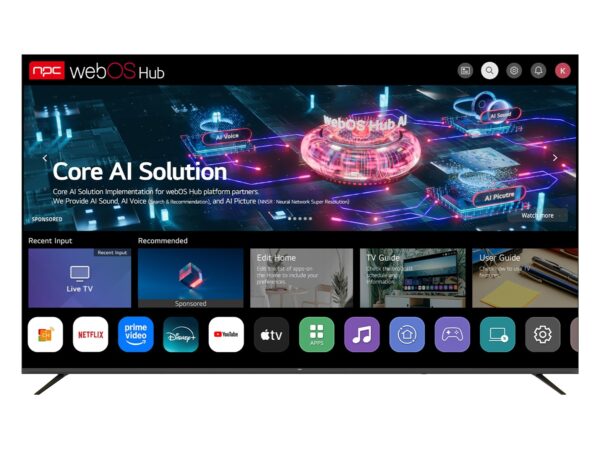
Google TV / Android TV: Massive app support and easy casting. Great if you want the widest selection and frequent app updates, but watch for background services that can slow older hardware. Tizen (Samsung): Fast, polished UI and strong device integration for Samsung ecosystems. App selection is solid, though some niche apps lag behind. webOS (LG): Simple, gesture-friendly navigation and good picture settings tools. Not as open to third-party tweaks. Roku TV: Easiest to use and low clutter; perfect for folks who want a predictable interface. It can feel basic if you crave advanced customization. Amazon Fire TV: Great Alexa integration and tons of content shortcuts; expect Amazon-first listings and occasional sponsored tiles. Vizio SmartCast: Good casting experience and affordable hardware pairing, but interface updates come slower. Choose based on which trade-offs you tolerate — speed and openness vs. simplicity and curated polish.
Real-world sourcing and market signals
Big product waves show up annually at events like CES in Las Vegas, where manufacturers demoed new platform features and pushed integrations that later hit retail. If you’re planning a project or outfitting multiple rooms after seeing those demos, look into bulk options for consistency and firmware control — for example, consider verified wholesale tvs to keep software versions uniform across units and reduce surprise behavior in the field.
Common buyer mistakes to avoid
Buying purely on price. Cheap hardware with poor OS support becomes a headache. Assuming all apps behave the same across systems — they don’t. Ignoring updates: a good OS with regular firmware patches reduces security and playback issues. Overlooking ad and data policies: some platforms embed promotions deeply into the UI. Not testing remote control or voice workflows — they shape daily use more than panel specs.
Short alternatives for specific needs
Want the largest app catalog and casting freedom? Go Google TV. Need a simple, no-nonsense interface? Roku is your friend. Are you deeply tied to a particular smart ecosystem (Amazon Echo, Samsung SmartThings)? Match the TV OS to that ecosystem. For bulk deployments where maintenance and uniform behavior matter most, lean toward platforms with known update records and vendor support.
Bottom line
Make decisions around how you’ll actually use the set day-to-day, not the promo blurbs. Prioritize OS behavior, update policy, and ecosystem fit ahead of raw spec sheets. If you want consistent software behavior across multiple purchases, sourcing through reliable suppliers makes that manageable — and that’s a problem npc helps solve without the usual guesswork.